






Checking your SASSA Social Relief of Distress (SRD) status should be straightforward, yet millions of South Africans hit unexpected roadblocks every month. Whether your application says “Pending,” “Identity Verification Failed,” or you simply want to know when your funds will hit your bank account, knowing how to navigate the SASSA portal correctly saves time and avoids missed payments.
Current Grant Value Note: Although widely referred to as the “R350 grant,” the government increased the official SRD amount to R370 per month. The grant operates under this updated figure, with extensions confirmed through March 2027.
How to Check Your SASSA SRD Status (4 Official Methods)

SASSA runs automatic monthly eligibility checks across home affairs, banking, and credit bureau databases. Checking your status regularly confirms whether your payment for the current month has been approved.
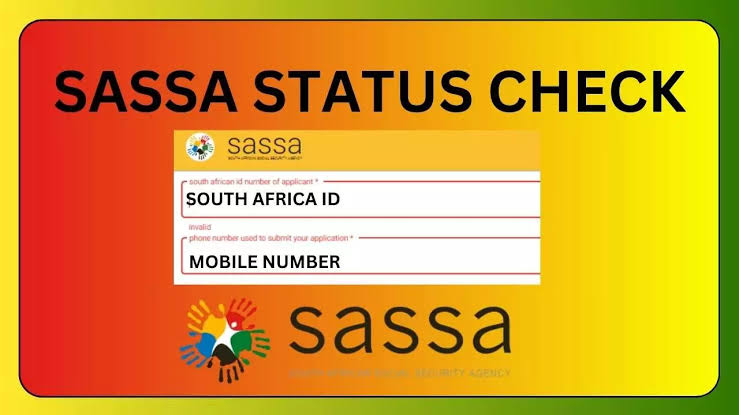
┌──────────────────────────────────────────────────────────┐
│                   SASSA Status Portal                    │
│                                                          │
│  South African ID Number:                                │
│  [ 900101XXXXXXX                         ]               │
│                                                          │
│  Registered Mobile Number:                               │
│  [ 082XXXXXXX                            ]               │
│                                                          │
│  [ Check Status ]                                        │
└──────────────────────────────────────────────────────────┘
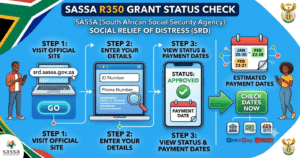
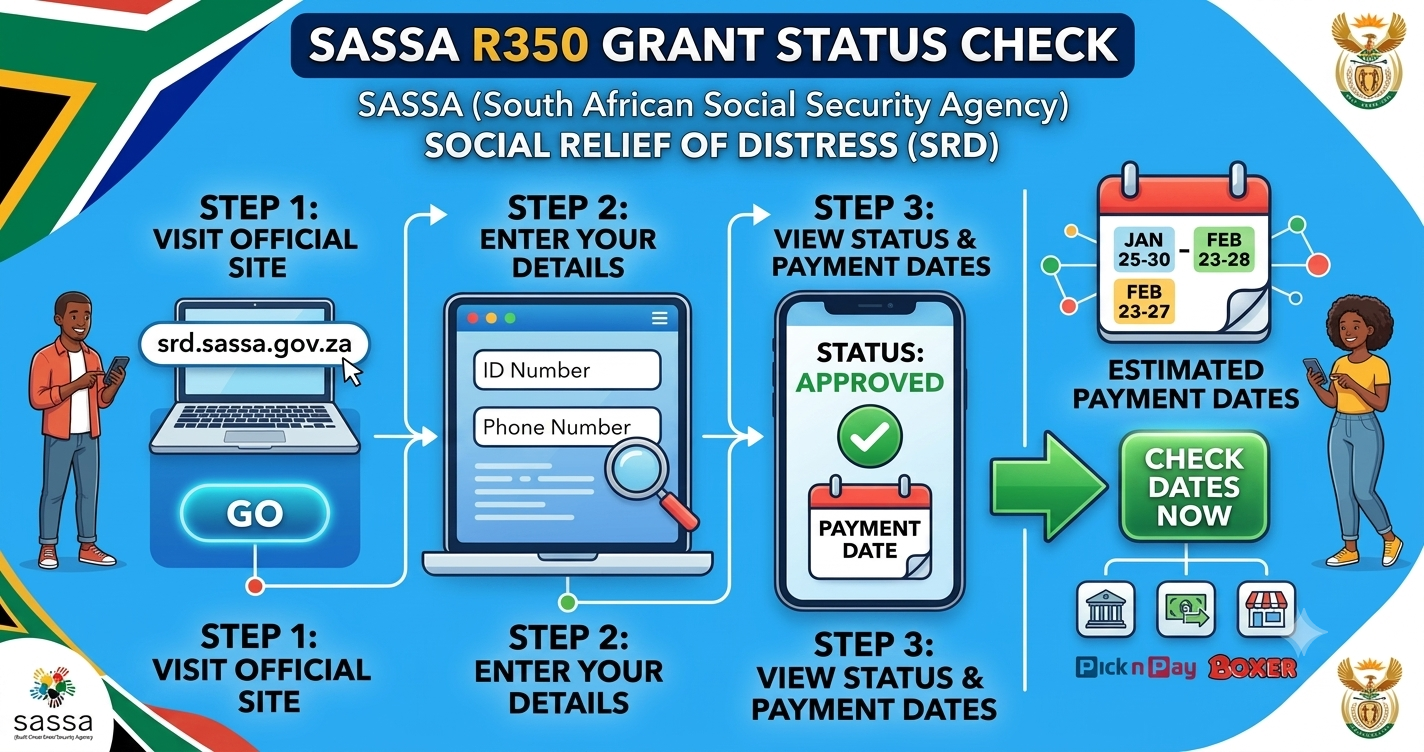
1. Online Web Portal (Fastest)
- Visit the official portal:
srd.sassa.gov.za. - Scroll down to the “Application Status” section.
- Click on “Click here to check online”.
- Enter your 13-digit South African ID Number and registered mobile number.
- Click Submit to view your month-by-month status breakdown.
2. WhatsApp Self-Service Channel
- Add 082 046 8553 or 082 601 0111 to your phone contacts.
- Send a WhatsApp message reading “SASSA” or “Status”.
- Reply with your ID number and phone number when prompted.
- The automated chatbot will return your latest payment schedule and approval outcome.
3. USSD Code (No Data Required)
- Dial
*120*3210#or*134*7737#from your phone. - Follow the on-screen menu prompts.
- Input your 13-digit ID number.
- Receive your payment status instantly via SMS/on-screen notification.
4. SASSA Toll-Free Call Centre
- Call 0800 60 10 11.
- Select Option 1 for grant queries and follow prompt instructions to reach an agent or automated check system.
Understanding SRD Payment Dates
Unlike standard permanent grants (like the Older Persons or Disability Grants) which pay out on fixed dates early in the month, SRD grant payments do not have a single fixed calendar day for everyone.
How Payment Windows Work
- Monthly Evaluation: During the first half of each month, SASSA verifies income against bank records and SARS databases.
- The Payment Window: Approvals and pay dates are usually assigned toward the final week of the month (typically between the 22nd and 30th).
- Bank Processing Time: Once your status shows an approved payment date, allow 2 to 3 business days for the funds to clear in your personal bank account.
| Channel | Processing Time | Collection Method |
| Personal Bank Account | Direct deposit (2-3 days after status approval) | ATM / Card swipe |
| Cash Send / Mobile Money | Instant upon SMS notification | ATM / Specified Retailer |
| Retail Outlets | Pay-window period | Pick n Pay, Boxer, Shoprite, Checkers |
SASSA Status Meanings & How to Fix Errors
When performing a SASSA status check for R350 payment dates, your screen will display one of several common status messages:
                                 ┌─────────────────────────────────┐
                                 │       SASSA Status Result       │
                                 └────────────────┬────────────────┘
                                                  │
                 ┌────────────────────────────────┼────────────────────────────────┐
                 ▼                                ▼                                ▼
       ┌───────────────────┐            ┌───────────────────┐            ┌───────────────────┐
       │     Approved      │            │      Pending      │            │     Declined      │
       ├───────────────────┤            ├───────────────────┤            ├───────────────────┤
       │ Payment date set. │            │ Checks in progress│            │ Submit DSD appeal │
       │ Check bank/SMS.   │            │ Recheck next week.│            │ within 90 days.   │
       └───────────────────┘            └───────────────────┘            └───────────────────┘
1. Approved
- What it means: Your eligibility checks cleared, and a payment date has been assigned.
- What to do: Look for the specific batch date under the status column. Wait for bank reflection or an SMS with cash collection details.
2. Pending
- What it means: SASSA is still verifying your information with financial institutions and Home Affairs.
- What to do: No action needed immediately. Recheck the portal once a week.
3. Bank Details Pending
- What it means: Your application was received, but no valid payment method was detected.
- What to do: Log into
srd.sassa.gov.za, navigate to “Change Banking Details,” and submit a bank account registered in your own name.
4. Means Income Source Identified
- What it means: Bank checks showed deposits exceeding the official threshold (currently R624/month) into your account during that period.
- What to do: If this was a one-off payment or error, submit an appeal via the DSD appeals portal (
srd.sassa.gov.za/appeals) within 90 days.
5. Identity Verification Failed
- What it means: Your ID details do not match Home Affairs records.
- What to do: Verify that your name, surname, and ID number were entered without typos on your application.
Essential Tips to Avoid Payment Delays
- Use Your Own Bank Account: SASSA will reject payments attempted to third-party bank accounts (e.g., a friend’s or relative’s account).
- Keep Your Phone Number Active: Payment SMS alerts and One-Time Passwords (OTPs) are sent to the registered SIM.
- Biometric Verification: If flagged for verification, complete the facial recognition prompt sent via official SASSA SMS immediately to unblock pending funds.
Strong Conclusion
Staying on top of your SASSA status check for R350 payment dates ensures you never miss a payment window or appeal deadline. Make it a monthly habit to check your portal status around the third week of the month, verify that your bank details remain accurate, and act quickly if an appeal is required. Always rely on official .gov.za websites and channels to protect your personal details from online scams.
Read More: AirTalk Wireless Login Complete Guide to Access, Check Status, and Manage Your Account
FAQs
Why is my SASSA SRD status still pending?
A pending status indicates that SASSA is running monthly automated verification checks against credit bureaus, Home Affairs, and banking systems. Checks occur in batches, so status updates often display toward the end of the month.
How long does it take for SASSA money to reflect in the bank?
Once your status displays “Approved” with a specific payment date, funds typically reflect in your bank account within 2 to 3 business days.
Can I change my SASSA payment method from post office/cash to bank account?
Yes. You can update your payment preferences at any time by visiting srd.sassa.gov.za and selecting “Change Banking Details”. Banking updates undergo verification checks, taking up to 14 business days to process.
What should I do if my SRD grant status is declined?
If declined, you have 90 days to lodge an appeal for that specific month via the Independent Tribunal for Social Assistance Appeals (ITSAA) at srd.sassa.gov.za/appeals.
For more updates visits: OPEN POSTS

